

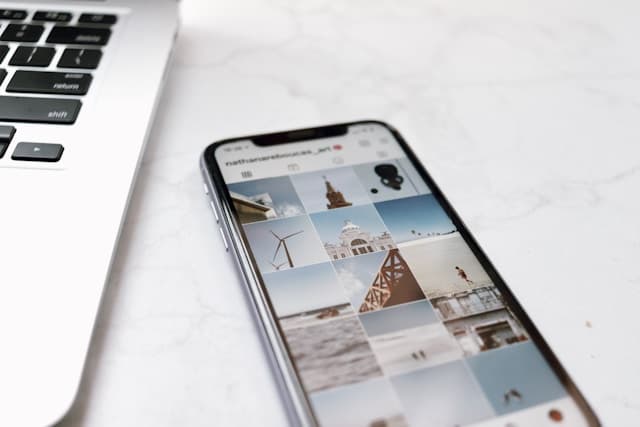
Bad crops make good content look accidental.
Text gets clipped. Faces sit under the Instagram UI. Carousel slide 3 jumps to a different frame than slide 1. The profile grid shows a forehead and no title.
This guide shows how to crop for Instagram across feed, grid, carousels, and stories — with exact ratios, safe zones, and a simple workflow. When you are building full swipe posts, crop is step one; design and export still belong in the Instagram carousel maker.
Instagram crop sizes (cheat sheet)
| Placement | Ratio | Pixels (export) | Notes |
|---|---|---|---|
| Feed / carousel (best default) | 4:5 | 1080 × 1350 | Tallest common feed crop |
| Feed / carousel (grid-friendly) | 1:1 | 1080 × 1080 | Cleaner profile thumbnails |
| Feed landscape (rare) | ~1.91:1 | 1080 × 566 | Usually weak for carousels |
| Story / Reel cover vertical | 9:16 | 1080 × 1920 | Keep center safe zone |
| Profile grid thumbnail | shows as square-ish crop | n/a | Center-weighted from your upload |
Rule that saves hours: pick one feed ratio per post and never mix.
Deep dive on carousel-only dimensions: Instagram carousel size & aspect ratio guide.
How Instagram actually crops (3 systems)
1) Feed display crop
In the home feed, 4:5 gets more vertical real estate than 1:1. That is why educational carousels and photo stories often feel larger on mobile when exported portrait.
2) Profile grid crop
Your profile is a wall of thumbnails. Portrait images are not shown full-height there — the grid favors the center.
Design implication:
- Put the hook words near the center of 4:5 covers
- Do not park the only logo in the extreme top or bottom
- If the grid is sacred, preview covers in a feed planner
More on patterns: Instagram grid layout guide.
3) Carousel lock crop
This is the one that ruins multi-slide posts.
- Slide 1 ratio becomes law
- Later slides are forced to match
- Mixed phone dumps (some square, some portrait) look broken
Fix: export the entire carousel at one size before upload — easiest inside an Instagram carousel maker workflow.
Safe zones (so UI does not eat your work)
Feed / carousel safe zone
Keep critical text and faces roughly 60px+ from edges at 1080 width.
Avoid microscopic type — crops and compression punish it.
Story 9:16 safe zone
Keep core content toward the vertical center. Top and bottom are hostile territory (username, stickers, reply bar, CTA buttons).
Grid-safe cover zone
For 4:5 carousel covers that must also look good on the profile, keep the title inside the center square area of the portrait frame.
How to crop for each Instagram format
A) Single feed photo
- Choose 4:5 (impact) or 1:1 (grid uniformity)
- Prioritize subject eyes / product hero
- Leave breathing room around the subject
- Export 1080px wide minimum
Tool: Instagram image resizer
B) Instagram carousel slides (most important)
- Decide 4:5 or 1:1 for the whole set
- Crop every photo to that ratio
- Design text slides at the same ratio
- Export all slides together
- Upload with slide 1 first
Workflow:
- Photos only → resize/crop each asset consistently
- Photo + text hybrid → build in the Instagram carousel maker so type and image frames share one canvas
- Educational text set → use carousel templates and export 4:5
Photo-led sequencing tips: how to make a photo carousel on Instagram.
C) Profile puzzle / multi-post grid strip
When one wide design becomes three posts side-by-side on the profile:
- Build a master canvas (e.g. 3×1)
- Split with precise cuts
- Post left → right in order
Tool: Instagram image splitter (grid mode)
D) Seamless swipe panorama
Different problem from profile puzzles: one continuous image across slides inside one post.
Guide: seamless Instagram carousel
Split helper: image splitter (carousel mode, margins off)
E) Stories
- Crop 9:16 (1080 × 1920)
- Keep subject center-weighted
- Preview with stickers/CTAs in mind
- Do not use a 4:5 feed export and “hope”
Composition rules when you crop
Faces: keep eyes in the upper-middle third; do not bisect chin/forehead at the frame edge unless intentional.
Products: leave margin so shadows and edges are not shaved off after compression.
Text on photos: crop first, place type second. Never place words then discover the crop removes half a letter.
Group shots: if someone important sits on the far edge, they will vanish in grid thumbnails — reframe.
Before/after pairs: crop both images with the same framing logic so the swipe comparison feels fair.
Common Instagram crop mistakes
- Mixed ratios in one carousel
- Exporting tiny images (soft after Instagram upscaling)
- Title in the extreme top of a 4:5 cover (dies on the grid)
- Story content in the bottom 15% (covered by UI)
- Heavy digital zoom crops (noise and blur)
- Different focal styles every slide (feels like unrelated posts)
- Cropping after adding text in a random app (text reflows wrong)
Fast workflow (creator / team)
For a designed carousel post
- Pick ratio: 4:5 default
- Select photos and rough-crop to 4:5
- Open Instagram carousel maker
- Build hook → value → CTA at Instagram feed size
- Drop photos into frames / full-bleed slides
- Export all slides
- Post in order
For a single image
- Image resizer → 1080×1350 or 1080×1080
- Quick visual QA on phone
- Upload
For a profile row plan
- Plan 9 covers in feed planner
- Crop/export covers consistently
- Build real content behind each cover (usually carousels)
Which tool for which crop job?
| Job | Tool |
|---|---|
| Resize one photo to IG size | Instagram image resizer |
| Split one image into grid/carousel tiles | Instagram image splitter |
| Design multi-slide carousel with brand + text | Instagram carousel maker |
| Preview profile aesthetics | Instagram feed planner |
Cropping is plumbing. The product people finish is still the carousel post — hook, sequence, payoff (full carousel post guide).
Quick QA before you upload
- Every slide same pixel size
- Slide 1 ratio is intentional
- Hook readable as a tiny grid thumbnail
- No critical text in hostile edges
- Faces/products not bisected
- Phone preview looks sharp
Quick start
- Choose 1080 × 1350 as your default feed crop
- Resize key photos
- Build the swipe post in the Instagram carousel maker
- Export and post with slide 1 first
Crop is invisible when you do it right — and impossible to ignore when you do not. Standardize once, then spend your energy on the story inside the frame.