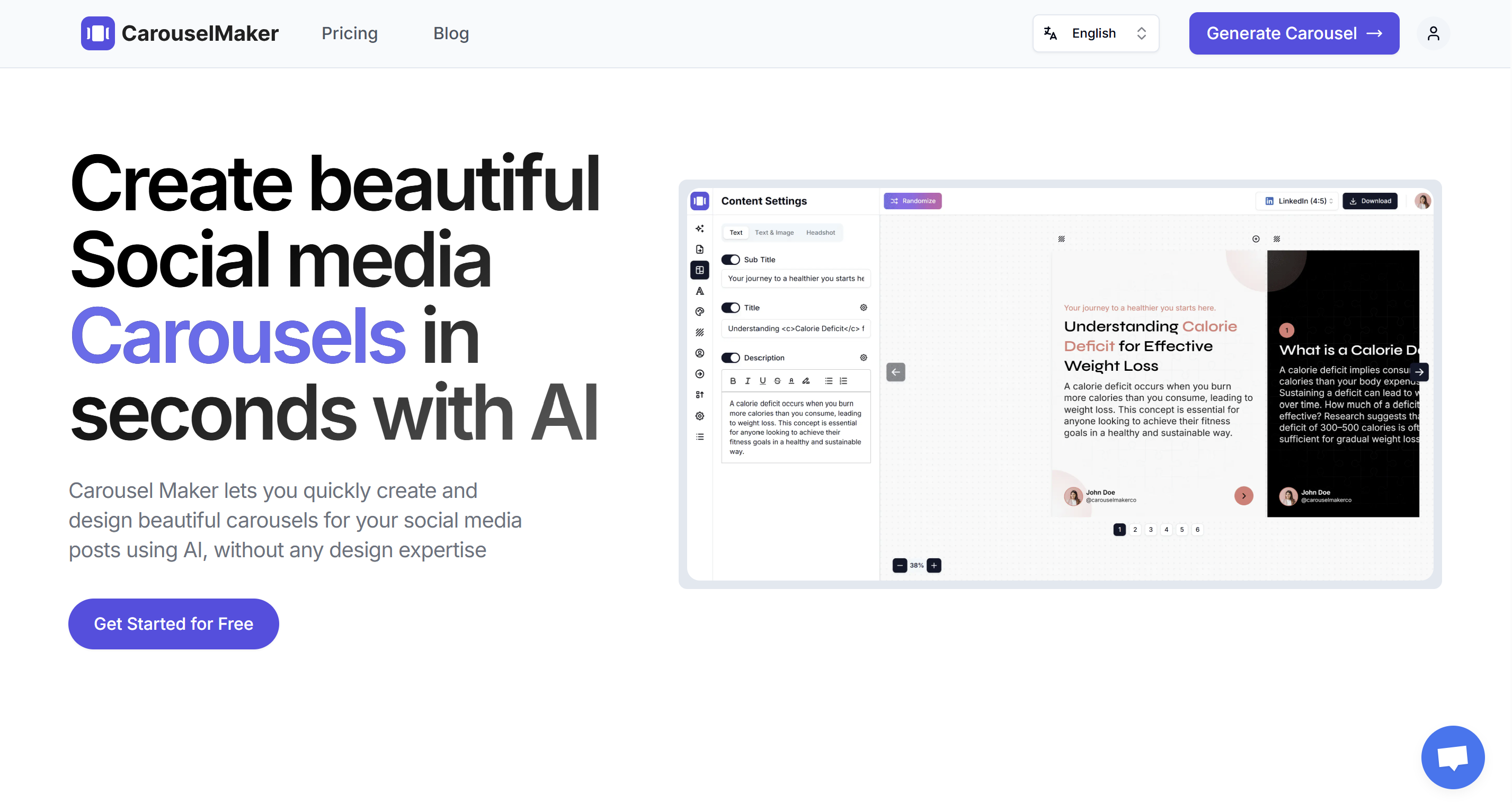
Social media feeds move fast. You publish a text post, and within minutes it's buried under a wall of other updates. I've been there — spending an hour on a LinkedIn update only to watch it flatline at a dozen likes.
That frustration is exactly why carousel posts have taken off for creators, marketers, and brands on LinkedIn and Instagram. They stop the scroll, keep people swiping, and consistently pull more reach than any other format. Pair that with AI-powered tools, and you can create them without ever opening design software.
Below, I'll cover what AI carousels actually are, how the technology works, and how to build your own from scratch — no design skills required.
What Is a Carousel Post?
A carousel post is a piece of social media content that packs multiple slides into a single post. Your audience swipes through them — kind of like flipping through a mini presentation right inside their feed.
On LinkedIn, carousels work as PDF documents. You upload a PDF, and LinkedIn turns each page into a swipeable slide. On Instagram, you can add up to 20 images or videos in one post. Both platforms love this format because it keeps people engaged longer — and their algorithms notice.
Key characteristics of carousel posts
- Multi-slide format — anywhere from 2 to 20+ slides per post
- Swipeable experience — viewers navigate with a swipe or an arrow click
- Visual storytelling — each slide advances a narrative, tip, or argument
- High dwell time — LinkedIn and Instagram algorithms favor content that keeps users engaged longer
If you are new to carousel posts, our beginner-friendly guide on boosting LinkedIn engagement with carousel posts is a great starting point.
What Is an AI Carousel?
An AI carousel is a carousel post where artificial intelligence does the structural legwork. Instead of opening Canva, writing copy slide by slide, picking fonts, and nudging alignment for an hour, you hand an AI tool a topic, some text, or a URL — and it returns a polished carousel in seconds.
"Won't it look generic?" Fair question. It can — if you hit publish without making it yours. The AI handles structure, layout, and sizing. Your job is to bring the substance: your stories, your opinions, your expertise.
What AI handles for you
| Task | Manual process | With AI |
|---|---|---|
| Content ideation | Brainstorm topics, research trends | AI suggests topics or expands your prompt |
| Copywriting | Write slide-by-slide text | AI generates structured copy per slide |
| Design & layout | Choose fonts, colors, spacing | AI applies a cohesive template automatically |
| Platform sizing | Resize for LinkedIn vs. Instagram | AI exports in the correct dimensions |
| Iteration | Redesign from scratch | Regenerate or tweak individual slides |
In short, an AI carousel turns what used to be a multi-hour design project into a few-minute workflow — without taking creative control away from you.
Why AI Carousels Are Taking Over Social Media
This isn't hype. There are concrete reasons people are making the switch.
1. You can actually post consistently
A polished 10-slide carousel takes 1–3 hours to build by hand. With an AI generator, I get to the same place in under a minute. That changes the math completely — instead of burning out after two weeks of "I should post more," you can realistically ship multiple carousels a week.
2. Brand consistency without a design system
If you manage multiple accounts or post daily, keeping a unified look is hard. AI tools lock in your brand colors, fonts, and layout rules across every carousel — no style guide policing required.
3. Higher engagement rates
Carousel posts already outperform single-image posts on both LinkedIn and Instagram. Multiple studies and creator reports consistently show that LinkedIn carousels pull 1.5–3× more engagement than text-only posts. Layer AI-optimized copy on top of that format advantage, and the numbers get even better.
4. No design skills needed
You don't need Figma or Photoshop. Tools like CarouselMaker.co are built for people who create content, not people who create design files — coaches, consultants, marketers, and solopreneurs who want professional output without a learning curve.
5. Copywriting frameworks baked in
Good AI carousel tools structure your output around proven patterns — a hook slide to grab attention, body slides that deliver value, and a CTA slide to drive action. You get that structure automatically instead of having to remember it every time.
How AI Carousel Generators Work
Knowing what happens under the hood helps you write better prompts and get better output. Here's the typical workflow inside an AI carousel generator.
Step 1: Input
You provide a topic, a block of text, or even a URL. Some tools also let you upload an existing document or paste bullet points. You can also select the language you want the carousel generated in — so if your audience speaks Spanish, French, or any other language, the AI writes the slide content in that language from the start.
Step 2: Content generation
The AI engine (usually a large language model) breaks your input into logical slide-by-slide content. It structures the information with:
- A compelling hook slide (the first thing people see)
- Body slides that deliver value, tips, or arguments
- A CTA slide that tells the viewer what to do next
Step 3: Design application
A design engine maps the generated text onto pre-built templates. It handles font pairing, color schemes, spacing, and slide-to-slide visual consistency.
Step 4: Export
You download the carousel as a PDF (for LinkedIn) or as individual images (for Instagram, TikTok, or other platforms). Some tools also provide direct scheduling or posting integrations.
Step-by-Step: Creating Your First AI Carousel
Here's the practical walkthrough. For a version with screenshots, see our step-by-step guide to creating a LinkedIn carousel with AI.
1. Choose your input method
Head to the AI carousel generator and pick how you want to create your carousel:
- Topic to carousel — Enter a topic like "5 LinkedIn profile tips for job seekers" and let AI generate all the content. Perfect when you need inspiration.
- Text to carousel — Paste your own text (a blog paragraph, notes, a thread) and AI will structure it into slides.
- URL to carousel — Provide a link and the AI extracts the key points for you.
2. Set your slide count
Most carousels perform best with 6–12 slides. Fewer than 5 can feel incomplete; more than 15 risks losing the viewer's attention.
3. Choose your language
CarouselMaker supports multiple languages, so you can generate carousel content in English, Spanish, French, German, Japanese, and many more. Pick the language your audience speaks and the AI writes every slide in that language — no need to translate afterward.
4. Pick a template and brand style
Select a template that matches your brand. CarouselMaker lets you customize:
- Brand colors and gradients
- Font family and size
- Profile photo and name placement
- Slide layout (text-only, text + image, image only, etc.)
Not sure how to customize? Our guide on how to customize a carousel generated using AI CarouselMaker walks you through every option.
4. Review and edit
This is the step most people skip — and it's the one that separates forgettable carousels from ones people actually save. Read each slide out loud and check for:
- Accuracy — Fix anything the AI got wrong or oversimplified
- Your voice — Swap out generic phrasing for how you'd actually say it
- Flow — Make sure each slide leads naturally into the next
5. Export and publish
- For LinkedIn: Download as PDF and upload as a document post.
- For Instagram: Download as images and upload as a multi-image post.
AI Carousel Best Practices for LinkedIn
LinkedIn is where carousels hit hardest. I've watched the same account jump from 500 impressions on a text post to 15,000+ on a carousel. Here's what I've learned works.
Write a scroll-stopping hook
Your first slide is your headline. It must make the viewer stop scrolling. Effective hooks include:
- Numbering: "7 mistakes killing your LinkedIn growth"
- Bold claim: "I grew my LinkedIn from 0 to 50K followers in 6 months"
- Question: "Are you making this common networking mistake?"
- Contrarian take: "Cold outreach is dead. Here's what works instead."
Keep text concise
One idea per slide. That's the rule. Aim for 30–60 words, use short sentences and bold keywords. If a slide feels crowded, split it — two lean slides always beat one bloated one.
Use a consistent visual identity
Pick 2–3 colors, one heading font, one body font, and stick with them. Over time, people start recognizing your carousels before they even read the first word. That recognition is worth more than any clever design trick.
End with a clear CTA
Tell people exactly what to do next: follow, comment, share, visit a link, or save the post. A carousel that educates but doesn't direct the viewer anywhere wastes the attention you just earned.
Optimize the caption
The post caption that accompanies your carousel matters too. Include:
- A teaser that complements the hook slide
- Relevant hashtags (3–5 for LinkedIn)
- A question to encourage comments
For more engagement strategies, explore our 10 tips to boost your LinkedIn engagement.
AI Carousel Best Practices for Instagram
Instagram carousels play by slightly different rules. Here's what I've found works best on the platform.
Design for the square or 4:5 ratio
Instagram supports 1080×1080 (square) and 1080×1350 (portrait) carousels. The 4:5 portrait ratio takes up more screen real estate, which improves visibility in the feed.
Lead with value, not branding
On Instagram, the first slide must deliver an immediate promise of value. Brand logos and intros can go on the last slide.
Use the "swipe for more" cue
A subtle arrow or "Swipe →" text on the first slide boosts swipe-through rates. Many viewers don't realize there are more slides unless you signal it.
Mix content types
Instagram allows images and videos in the same carousel. Consider mixing a static tip slide with a short video demonstration or a before/after clip.
Hashtag and alt text strategy
Use up to 30 hashtags in the caption (or first comment) and add descriptive alt text to each image for accessibility and SEO. Instagram's algorithm favors original content with strong engagement signals — carousels fit that criteria perfectly.
Common Mistakes to Avoid with AI Carousels
AI takes care of the structural work, but you can still torpedo your own carousel. These are the mistakes I see most often.
1. Publishing without editing
I covered this in the step-by-step above, but it bears repeating because it's the single most common mistake. Raw AI output reads like raw AI output. Spend five minutes adding your personality — it makes a huge difference.
2. Cramming too much text on a slide
If someone has to squint or read a paragraph on a single slide, they're gone. Treat each slide like a billboard: if you can't read it in 3 seconds, cut words.
3. Forgetting mobile
Over 70% of LinkedIn and Instagram users browse on their phones. According to Hootsuite's social media statistics, mobile accounts for the majority of social media time worldwide. Preview your carousel on a phone screen before you publish — what looks fine on a laptop can be unreadable on a 6-inch screen.
AI Carousel vs. Manual Design: When to Use Which
It's not either-or. The right tool depends on the job:
| Scenario | Best approach |
|---|---|
| Daily or weekly posting | AI carousel — speed matters |
| Brand launch or special campaign | Manual design — pixel-perfect control |
| Repurposing blog content | AI carousel — paste text, generate slides |
| Highly visual product showcase | Manual or hybrid — custom photography needed |
| Testing content ideas quickly | AI carousel — generate, post, measure, iterate |
My rule of thumb: AI for anything recurring, manual for anything with a budget and a deadline.
Who Benefits Most from AI Carousels?
Practically anyone who posts on LinkedIn or Instagram regularly, but a few groups get outsized value:
- Solopreneurs and coaches — Share frameworks, tips, and client wins to build authority
- Marketers and agencies — Produce client content at scale without a design team
- SaaS companies — Explain features, share product updates, and tell customer stories
- Educators and course creators — Break down complex topics into digestible slide decks
- Personal brand builders — Grow your LinkedIn audience with consistent, value-packed content
Free Tools Worth Bookmarking
CarouselMaker.co also has a handful of free tools that pair well with carousel creation:
- Free LinkedIn Post Formatter — Format your LinkedIn text posts with bold, italic, and bullet points
- Free AI LinkedIn Headline Generator — Craft attention-grabbing profile headlines
- Free Carousel Idea Generator — Get AI-powered topic ideas for your next carousel
- Free Carousel Hook Generator — Generate compelling first-slide hooks
- Free Instagram Caption Generator — Write captions that drive engagement
Frequently Asked Questions
What is an AI carousel?
It's a multi-slide social media post — LinkedIn, Instagram, TikTok — where AI generates the content and design for you. You provide a topic, text, or URL, and the tool handles slide structure, copywriting, layout, and export formatting. Most generators produce a finished carousel in under a minute.
How do I make a carousel post using AI?
Go to an AI carousel generator like CarouselMaker.co, enter your topic or paste existing text, choose a slide count and template, and click Generate. The tool creates a hook slide, body slides, and a CTA slide. Edit the output to match your voice, then export as PDF for LinkedIn or images for Instagram.
Are AI-generated carousels bad for engagement?
Only if you publish them unedited. The raw output can feel generic, but creators who add their own stories, opinions, and phrasing before posting see results on par with — or better than — fully hand-designed carousels. The AI gives you solid structure; you supply the personality.
Is there a free AI carousel maker?
Yes. CarouselMaker.co offers a free plan — no credit card required — that lets you generate and download carousels for LinkedIn, Instagram, and TikTok. Paid plans add more templates, brand kits, and higher generation limits.
What size should an AI carousel be for LinkedIn?
Go with 1080 × 1080 px (square) or 1080 × 1350 px (4:5 portrait), exported as a PDF under 10 MB. Keep body text at 22 px minimum so it's legible on mobile. For every platform's specs in one place, see our LinkedIn carousel size and dimensions guide.
Conclusion
Carousel posts get more reach than almost any other format on LinkedIn and Instagram. AI tools remove the bottleneck that kept most people from making them consistently — the hours spent in design software.
If you've been meaning to post more but keep running out of time (or patience), an AI carousel generator is probably the highest-leverage change you can make to your content workflow.
Want to try it? Head to the AI Carousel Generator and turn your next idea into a finished carousel — it genuinely takes about a minute.