Instagram Studio (Beta)
Every Instagram tool in one free workspace: upload once, switch tools instantly, and keep everything in a shared tray.
One workspace, fourteen tools
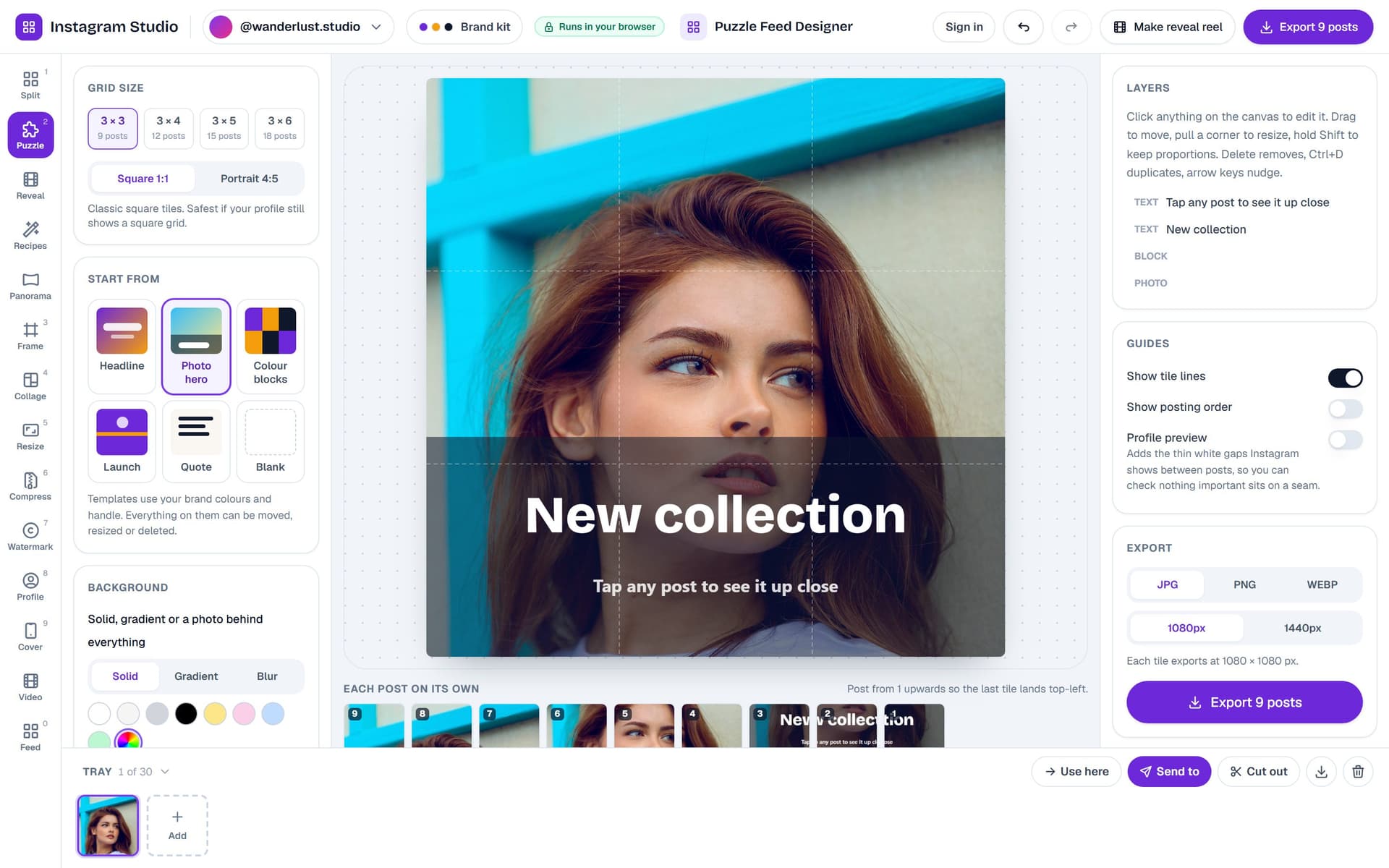
The splitter, frame, collage, resize, compress, watermark, profile picture, story cover, panorama video and feed planner now live in one studio with a shared tray, a brand kit per account and a Send to menu that moves any image between tools.
Puzzle Feed Designer
Design one artwork across a 3×3 to 3×6 grid with photos, text, blocks and your logo. Seam guides, a profile preview with real gutters, and tiles exported in posting order.
Grid Reveal Reel
Turn a grid into a Reel: the posts fly in one by one in posting order, assemble into the full picture and end on a profile mockup, with licensed music and MP4 export.
Recipes and Save to Photos
Chain resize, frame, adjust and watermark once and run it on every photo. On phones, every export now saves straight to Photos instead of a ZIP.